

The FinTech Awards | The Cloud Awards
Author: Chris Haldane
Why Manufacturing Finance Breaks Down—And How Fortis Fixes It

How manufacturing and engineering firms are closing the gap between commerce and cash—and why Fortis was recognized for leading the way.
You’ve built a tight operation. Orders flow into your ERP. Fulfillment gets tracked. Invoices go out on time. But somewhere between “invoice sent” and “cash received,” things fall apart.
Payments are still living in a separate system. Reconciliation is still manual. Your finance team is still chasing down settlement data that should already be in front of them. And every day that gap exists, it’s costing you in DSO, forecasting accuracy, and working capital you could be using to grow.
This isn’t a technology problem. It’s a workflow problem—and it’s one of the most persistent challenges in manufacturing finance. That’s exactly why Fortis was named a 2026 FinTech Awards winner for Manufacturing and Engineering.
The Disconnect Is Costing You More Than You Think
When payments operate outside your ERP, your finance team becomes the integration layer—manually stitching together data that should flow automatically. The downstream effects compound fast:
- Invoice-to-cash cycles slow down, and AR drags
- Reconciliation across systems, entities, and locations becomes a weekly fire drill
- Cash position and settlement timing stay murky until it’s too late to act
- DSO climbs, forecasting suffers, and scaling gets harder
For CFOs and finance leaders, this isn’t just operational friction— it’s a working capital problem hiding in plain sight. The root cause? The commerce workflow and the financial workflow aren’t talking to each other.
What Workflow Commerce Actually Looks Like
The fix isn’t adding another tool to the stack. It’s embedding payments directly into the ERP systems your teams already use—so that orders, invoices, payments, and reconciliation operate as one connected workflow instead of four separate steps.
When that happens, the full Workflow Commerce chain closes:
Order → Fulfillment → Invoice → Payment → Reconciliation → Reporting
That’s the shift manufacturers are making. And the results aren’t incremental—they’re structural.
Get Paid Faster—Without Changing How You Operate
Embedding payments into your ERP doesn’t mean ripping out your existing systems. It means making them work harder. With payments inside the workflow, your teams can:
- Send invoices with embedded payment options—no portal-hopping required
- Accept ACH and commercial cards directly within ERP environments
- Reduce DSO and accelerate AR through automation, not more headcount
- See payment status and cash flow in real time—not after the close
The result is a tighter connection between what you ship and when you get paid—with the visibility to manage cash flow proactively instead of reactively.
Why the Platforms You Rely on Are Evolving Too
This shift isn’t just happening inside finance teams—it’s reshaping the ERP and industry software ecosystems that manufacturers depend on. The platforms serving manufacturing and engineering firms are under real pressure to embed payments natively, because their customers are demanding it.
For software providers, embedding payments means delivering more complete workflows, reducing churn through deeper integration, and unlocking revenue tied directly to customer usage. It’s not a product roadmap decision anymore—it’s a competitive one.
Why Fortis—and Why Now
Fortis was built specifically for the complexity of B2B commerce—ERP-native integrations, ACH and commercial card support, automated reconciliation, and real-time visibility into settlement and reporting. That’s not a feature list. It’s what Workflow Commerce looks like in practice.

The 2026 FinTech Awards recognized Fortis in the Manufacturing and Engineering category for exactly this reason. Here’s what the judges said:
“Fortis is the clear winner in this category for addressing a fundamental inefficiency at the heart of manufacturing and engineering finance: the disconnect between payments and accounting systems. By embedding payment capabilities directly within ERP environments, Fortis transforms accounts receivable from a manual, error-prone process into a real-time, automated financial workflow. The resulting improvements in reconciliation speed, reporting accuracy, and working capital visibility deliver clear and measurable operational value. This deep integration of payments and accounting intelligence makes Fortis a standout winner at The FinTech Awards.”
Annabelle Whittall, COO, The Cloud Awards
The Bottom Line
Manufacturing and engineering firms have always been good at building tight operations. The ones pulling ahead right now are the ones closing the last gap—connecting their commerce workflow directly to their financial outcomes.
Payments aren’t a back-office function anymore. They’re embedded in how you sell, fulfill, and recognize revenue. And when they’re connected to your ERP—not bolted on beside it—cash flow accelerates, visibility improves, and your finance team can finally stop playing catch-up.
Ready to see what Workflow Commerce looks like inside your ERP? Let’s talk.
Workflow Commerce: The Next Operating Model for B2B Payments

Read time: 6 minutes
If the problem in B2B payments isn’t checkout, then what is it?
Over the past decade, the industry focused on transaction efficiency—and that focus made sense. Digital acceptance needed to happen. Payment methods needed to expand. Friction at the moment of payment needed to decrease. B2B payments needed to modernize, and they did.
But as organizations modernized their payment rails, a different problem came into focus. The transaction improved. The workflow around it didn’t.
Payments in B2B environments don’t exist in isolation. They originate in contracts, purchase orders, milestone schedules, and subscription agreements. They move through approvals, update ERP records, and influence reconciliation, reporting, and working capital decisions. And yet most payment systems still function as endpoints—discrete transaction tools sitting adjacent to the operational workflows they’re supposed to serve.
That’s the shift now taking shape. We call it Workflow Commerce.
What Is Workflow Commerce?
In most B2B environments today, payments sit adjacent to the workflows that govern financial operations. They interact with ERP systems and billing platforms, but they don’t behave as part of them. Data passes between systems after the fact. Reconciliation happens in a separate step. Reporting lags behind what’s actually happening in receivables.
Workflow Commerce changes the underlying assumption. Instead of asking how do we make this payment easier to complete, the question becomes how does this payment behave inside the system that governs invoicing, approvals, reconciliation, and reporting?
In practice, that means a few things look different:
- Payment initiation is tied to workflow events—an invoice created, a milestone approved, a subscription renewed—rather than being a standalone action a customer takes.
- Payment activity interacts directly with ERP records in real time. Invoices update. Customer balances reflect accurately. Project accounting adjusts. No export, no manual match, no lag.
- Reconciliation happens within the same workflow that generated the obligation, not in a separate process downstream.
- Workflow logic, the rules that govern how the business operates, can be used to trigger follow-ups, retries, approvals, and dispute handling automatically, rather than requiring someone to manage exceptions by hand.
None of these capabilities are entirely new in isolation. What’s new is treating them as a system, and recognizing that they only deliver real value when they work together.
Why This Is Happening Now
Three forces are converging to push the market in this direction.
ERP and vertical SaaS platforms have become the operational core of how B2B companies run. Billing, inventory, project accounting, financial reporting—it all lives inside structured systems of record. When payments operate outside that structure, the misalignment is no longer just inconvenient. It’s a measurable operational cost.
Finance teams are under real pressure on receivables performance and working capital visibility. Getting paid faster matters. But if payment acceptance doesn’t connect to accurate reconciliation and forecasting, the downstream value is limited.
And software platforms are competing on operational depth, not just features. Embedding a payment experience creates a monetization opportunity. Orchestrating the full financial workflow creates something harder to displace.
When those three pressures converge, optimizing the transaction is no longer a sufficient answer.
Digitization vs. Orchestration
There’s a useful distinction worth drawing here.
Digitization converts paper to pixels. It takes a manual process and makes it electronic. B2B payments have largely achieved this—checks gave way to ACH, invoices moved online, payment links replaced phone-in payments.
Orchestration is something different. It’s about aligning systems so that activity in one part of the workflow automatically and accurately reflects in every other part. It’s not about converting a process. It’s about connecting them.
Most B2B organizations have digitized their payments. Very few have orchestrated them.
That’s the gap Workflow Commerce is designed to close—not by replacing what’s already working, but by making payments function as infrastructure inside the business rather than a layer on top of it.
What Change When This Works
When payments operate as part of the workflow rather than alongside it, the impact isn’t limited to the moment of acceptance. It runs through the entire financial lifecycle.
Finance spends less time reconciling and more time analyzing. Receivables visibility is live, not lagged. Working capital decisions are based on accurate data. Operational teams aren’t waiting for the back office to catch up.
And for the platforms that power these workflows, it changes the value proposition entirely.
Embedded payments give customers a better way to pay. Workflow Commerce gives them a better way to operate.
The organizations that move from transaction optimization to workflow orchestration won’t just process payments more efficiently. They’ll fundamentally change how their businesses operate.
Next: what it takes to actually build for this—and why the architecture matters.
Embedded Payments in Field Service Software: Why Getting Paid Slows Down—and How Platforms Can Close the Gap

How field service platforms can help accelerate time-to-payment, reduce collection friction, and improve the end-to-end customer experience
Getting paid quickly is one of the biggest challenges in field service. When invoices are delayed, payments aren’t collected on-site, or follow-up falls through the cracks, revenue lags behind the work being completed.
In field service, the job isn’t done when the technician packs up. It’s done when the invoice is sent, the payment is collected, and the books are updated. And for too many field service businesses, that last mile takes longer than it should.
60% of small businesses cite cash flow as a top concern. For service companies with mobile workforces and high job volume, delayed or missed collections aren’t just a finance problem—they’re an operational one. Every unpaid invoice sitting in a queue is revenue that’s been earned but not realized.
Most solutions focus on technician behavior or internal processes. But increasingly, the ability to collect payment quickly is shaped by the field service platforms those teams rely on every day.
Speed Is Revenue—And Payments Are Part of the Workflow Now
When embedded payments work the way they should in field service software, the entire dispatch-to-cash cycle tightens up. Technicians can collect payment on-site—tap-to-pay, mobile card reader, text-to-pay link—and the transaction flows directly into the platform. No manual reconciliation. No chasing down invoices after the fact.
The downstream effects are meaningful:
- Faster invoice-to-cash cycles
- Higher payment attachment rates at point of service
- Better customer experience at job completion
- Improved revenue predictability for the platform and its users
- Incremental recurring revenue from payment processing
In other words, accelerating time-to-payment and improving collection rates isn’t just about frontline execution—it’s driven by how seamlessly payments are embedded into the workflow.
According to Ardent Partners, digital workflows can reduce invoice processing time by up to 50%. That’s not just an efficiency gain—it’s a direct improvement in cash flow velocity.
When Payments Stop Evolving, Growth Slows Down
Most field service platforms that have embedded payments reach a point where things “work.” Transactions go through, users are onboarded, the integration is stable. But stable doesn’t mean optimized.
Signs that a payments program may have plateaued:
- Limited visibility into what payments are contributing to platform revenue
- Adoption that grew during rollout but hasn’t continued to improve
- Mobile payment capabilities that lag behind the rest of the product experience
- Payments managed as operational infrastructure rather than a strategic asset
These patterns may seem incremental, but they show up in real ways—missed opportunities to collect in the field, more post-job follow-up, and a less consistent customer experience at the point of payment.
These patterns tend to be gradual—which is part of what makes them easy to miss. The program isn’t broken, so it doesn’t get attention. But left unchecked, they quietly limit what the platform can achieve.
Knowing Where You Stand
Evaluating a payments program means looking beyond transaction volume. The most effective embedded payments programs are built around a clear understanding of four dimensions:
- Revenue transparency: Do you have clear visibility into what your payments program is actually generating?
- Merchant adoption depth: Are your users collecting payments in the platform, or working around it?
- Integration flexibility: Can your payments layer keep up as the platform evolves?
- Strategic alignment: Is payments part of how your team thinks about product and growth?
When these areas aren’t aligned, the result isn’t just operational friction—it’s slower collections, inconsistent workflows in the field, and limited ability to scale efficiently.
Most platforms lack a clear view across all four dimensions—creating a gap between what their payments program does and what it could deliver in the field. That gap, between functional and optimized, is where Fortis comes in. As a payments partner purpose-built for software platforms serving field service businesses, Fortis goes beyond processing to help teams evaluate their payments strategy, identify missed revenue opportunities, and build a roadmap for stronger performance across scheduling, invoicing, and collections.
The result is a more collaborative, growth-oriented approach—one that moves beyond a vendor relationship to a true partnership.
The Bottom Line
Salesforce research shows that 88% of customers say experience matters as much as product. In field service, payment collection is part of that experience—and friction at that moment leaves a lasting impression.
The real opportunity isn’t just collecting payment—it’s enabling faster job completion, smoother customer interactions, and a more efficient path from work performed to revenue realized.
The platforms pulling ahead in field services aren’t just better at scheduling and dispatch. They’re better at making the financial side of the job as seamless as the operational side. When payments are fast, easy, and embedded into the workflow, everyone wins: technicians close jobs faster, customers have a better experience, and the platform drives more revenue from the infrastructure it’s already built.
Where to Go From Here
If you’re curious how your payments program stacks up—or where the next layer of growth might be hiding—it starts with a conversation. Talk to a Fortis payments expert to explore what’s possible for your platform.
Embedded Payments in Manufacturing & Distribution: Why Order-to-Cash Slows Down—and How Platforms Help Accelerate It

How software platforms can help reduce payment delays, improve working capital, and turn financial workflows into a growth engine
Late payments, extended invoice cycles, and limited visibility into receivables are persistent challenges in manufacturing and distribution. When cash is tied up in the order-to-cash process, it restricts working capital and limits how quickly businesses can operate and grow.
In manufacturing and distribution, money moves in cycles. Orders go out, invoices follow, payments (eventually) come in. For a lot of businesses in these sectors, that cycle takes longer than it should—and the delays add up.
Most efforts to fix this focus on internal improvements—tightening AR processes, improving invoicing accuracy, or increasing collections efforts. But there’s another lever that’s often overlooked: the software platforms that manage these workflows end to end.
U.S. wholesale trade exceeds $8 trillion annually. Manufacturing contributes more than $2.3 trillion to GDP. According to PwC, optimizing working capital can unlock 5–10% of revenue in liquidity. The order-to-cash workflow is where that optimization happens—and payments sit right in the middle of it.
What Happens When Payments Are Truly Embedded
There’s a difference between accepting digital payments and having payments embedded in the workflow. When invoices, payments, and reconciliation all happen within the same platform, the benefits compound:
- Invoice-to-cash cycles accelerate
- Working capital improves without adding headcount
- Digital payment adoption grows naturally as the workflow makes it easy
- Revenue becomes more predictable
- The platform itself becomes stickier—and more valuable
- In other words, improving working capital and shortening payment cycles isn’t just a back-office initiative—it’s increasingly shaped by how seamlessly payments are built into the platform experience.
That’s the version of embedded payments that drives growth. It’s not just about removing a manual step. It’s about making payments a core part of how the platform delivers value.
Where Growth Gets Stalled
Many manufacturing and distribution platforms have taken payments from “none” to “functional.” That’s real progress. But functional isn’t the same as optimized, and “functional” has a ceiling.
Some common signs a payments program has stopped evolving:
- Reporting that shows volume but not strategic insight
- Digital payment adoption concentrated among early users, with the rest still writing checks
- ERP integrations that haven’t kept pace with platform capabilities
- Limited executive visibility into what payments are actually contributing to the business
At the surface, these may look like reporting or adoption issues. But underneath, they show up as longer payment cycles, more manual follow-up, and inconsistent experiences across the customer base.
These gaps don’t just limit efficiency—they limit monetization. And they tend to be invisible until someone looks for them.
Evaluating Where You Stand
Embedded payments programs mature along predictable dimensions. Understanding where yours stands in each area is the first step toward optimizing it:
- Revenue transparency: Are payments a visible line item in your platform’s financial performance, or a black box?
- Customer adoption depth: Are your customers actually using the embedded payment tools, or defaulting to outside processes?
- Integration flexibility: Can your payments layer scale and adapt as your platform evolves?
- Strategic alignment: Is payments part of how leadership thinks about platform growth?
When these areas aren’t aligned, the result isn’t just inefficiency—it’s constrained working capital, limited insight into performance, and financial workflows that can’t keep pace with the business.
Most platforms lack a clear view across all four dimensions—creating a gap between what their payments program does and what it could deliver across complex B2B workflows. That gap, between functional and optimized, is where Fortis comes in. As a payments partner purpose-built for software platforms serving manufacturing and distribution businesses, Fortis goes beyond processing to help teams evaluate their payments strategy, identify missed revenue opportunities, and build a roadmap for stronger performance across invoicing, AR processes, and cash flow management.
The result is a more collaborative, growth-oriented approach—one that moves beyond a vendor relationship to a true partnership.
The Bottom Line
Digital leaders in industrial sectors achieve 2–3x higher revenue growth than their peers (McKinsey). A major driver is financial workflow optimization—and payments are at the core of it.
The real opportunity isn’t just moving money—it’s helping your customers unlock working capital, operate with greater predictability, and remove the bottlenecks that slow down growth.
Platforms that treat payments as a strategic asset—rather than a utility—are the ones building the kind of sticky, recurring revenue that holds up over time. The order-to-cash race is already happening. The question is whether your payments program is helping you win it.
Where to Go from Here
If you’re curious how your payments program stacks up—or where the next layer of growth might be hiding—it starts with a conversation. Talk to a Fortis payments expert to explore what’s possible for your platform.
Embedded Payments in Construction: Why Cash Flow Breaks Down—and How Platforms Turn it into an Advantage

How construction software platforms can help solve cash flow challenges, reduce DSO, and transform payments into a growth engine
Cash flow is one of the biggest challenges in construction. When billing cycles stretch, retainage delays pile up, or subcontractors wait to get paid, margins erode fast.
Construction is a margin-thin business. Margins typically sit between 3–7%, and 82% of firms report cash flow challenges as a persistent concern. When billing cycles stretch or subcontractor payments stall, those already-tight margins erode fast.
Most conversations focus on how contractors can fix these issues—through better invoicing, tighter AR processes, or improved collections. But there’s another lever that’s often overlooked: the construction software platforms those contractors rely on every day.
For construction management platforms, this is both a problem and an opportunity. Most have already embedded payments into their product. But embedding payments isn’t the same as optimizing them—and that gap is where real growth potential lives.
Payments Are Already Part of the Job—Are They Doing Their Part?
Construction management software sits at the heart of milestone billing, retainage, and contractor payments. When payments work well inside the platform, financial workflows accelerate across the entire project lifecycle: contractors invoice faster, funds move sooner, and project managers spend less time chasing down collections.
In other words, improving cash flow, reducing days sales outstanding (DSO), and streamlining AR doesn’t just happen at the business level—it’s increasingly driven by how well payments are integrated into the platform experience.
When implemented strategically, embedded payments can help platforms:
- Improve cash flow predictability
- Reduce days sales outstanding (DSO)
- Increase contractor adoption of digital workflows
- Generate incremental recurring revenue
According to McKinsey, digitizing construction financial workflows can improve productivity by 10–15%. Payments sit at the center of that transformation.
Signs Your Payments Program Has Stopped Growing with You
As platforms scale, payments programs tend to reach operational stability—and then plateau. The system works, so it doesn’t get much attention. But stability and optimization are different things.
Some common indicators that a payments program may be underleveraged:
- Limited visibility into payments revenue performance
- Contractor adoption that stalls after initial onboarding
- Integrations that haven’t kept pace with the rest of the product
- Payments treated as infrastructure rather than a revenue driver
At the surface, these may look like product or operational challenges. But underneath, they show up as delayed payments, heavier admin lift, and a more fragmented experience for the customers your platform serves.
Individually, these may feel manageable. Together, they quietly put a ceiling on growth.
A Smarter Way to Evaluate Payments Performance
The most effective embedded payments programs don’t just process transactions—they’re built around a clear understanding of how payments affect the broader platform strategy. That means regularly evaluating performance across a few core dimensions:
- Revenue transparency: Can you clearly see what payments are contributing to the business?
- Contractor adoption depth: Are users actually paying and getting paid within the platform, or working around it?
- Integration flexibility: Can the payments layer evolve as the product does?
- Strategic alignment: Is payments part of the product roadmap, or an afterthought?
When these areas aren’t aligned, the result isn’t just an underperforming payments program—it’s missed revenue opportunities, limited visibility into performance, and financial workflows that don’t scale with the platform.”
Most platforms lack a clear view across all four dimensions—creating a gap between what their payments program does and what it could deliver. That gap, between functional and optimized, is where Fortis comes in. As a payments partner purpose-built for software platforms serving B2B businesses, Fortis goes beyond processing to help teams evaluate their current strategy, identify missed revenue opportunities, and build a roadmap for stronger performance.
The result is a more collaborative, growth-oriented approach—moving beyond a vendor relationship to a true partnership.
The Bottom Line
U.S. construction spending exceeds $2 trillion annually. At that scale, even small inefficiencies compound quickly. A payments program that’s merely functional is a missed opportunity.
The real opportunity isn’t just processing payments—it’s helping your customers get paid faster, operate more efficiently, and remove the friction that slows down their business.
The platforms gaining competitive ground in construction aren’t just the ones with the best project management tools. They’re the ones that have made financial workflows—payments included—a seamless part of how work gets done. That’s the difference between payments as plumbing and payments as a growth lever.
Where to Go From Here
If you’re curious how your payments program stacks up—or where the next layer of growth might be hiding—it starts with a conversation. Talk to a Fortis payments expert to explore what’s possible for your platform.
B2B Payments Work. The Workflows Around Them Don’t

Read time: 5 minutes
Most of the innovation in B2B payments over the last decade has been focused on the wrong moment.
Faster checkout. More payment methods. Embedded pay buttons inside platforms. These were real improvements—and they were necessary. But they addressed the visible part of a much longer chain, and in B2B, the visible tip was never really the problem.
A B2B payment doesn’t start at checkout. It starts when a contract is signed, a purchase order is approved, a milestone is hit, or an invoice is generated inside an ERP. From there, it moves through approval workflows, touches credit limits, triggers billing logic, and eventually has to land correctly in reconciliation and reporting. Checkout is one moment in that sequence. A lot has to go right before it. Even more has to go right after.
That’s where most organizations are still struggling.
The Work That Happens After the Transaction
Take a construction company running progress billing. A project hits a milestone. An invoice goes out. The customer pays through a digital link. The funds clear—and that part works fine.
But now retainage needs to be tracked. The partial payment has to be applied to the right line items. Job-cost accounting has to reconcile. The ERP needs to reflect updated project balances. Finance needs to know what’s outstanding and what’s actually collectible.
The transaction succeeded. The workflow didn’t.
The same pattern shows up in distribution, where high invoice volumes create reconciliation lag across shipments, credits, and returns. In field services, where billing varies by project, location, and contract terms—and payment acceptance is just one variable in a far more complex equation.
In each case, the real friction isn’t getting paid. It’s everything that has to happen for that payment to mean something operationally.

Embedded Payments Aren’t Enough
Many platforms have moved toward embedded payments as a solution, and it’s a step in the right direction. But embedding a payment experience inside a platform doesn’t automatically integrate it into the workflow.
A payment button inside a SaaS platform simplifies how customers pay. It doesn’t ensure that payment activity aligns with invoice states, approval logic, or reconciliation processes inside the ERP. The payment clears on one side. The operational system has to catch up on the other.
When that gap exists, teams fill it manually—exporting reports, matching exceptions, chasing data across systems that were never designed to work together. It doesn’t show up in a product demo. It shows up in how many hours finance spends every month not analyzing, but reconciling.
As B2B organizations have centralized operations around ERP systems and vertical platforms, these misalignments have become harder to ignore. Workflows are more structured now, which means the places where payments fall out of sync are more obvious—and more costly.
The Right Question
For years, B2B payments strategy has asked: how do we make it easier to pay?
That’s still worth asking. But there’s a more consequential question beneath it: how do payments function as part of the workflow, not alongside it?
The constraint in B2B isn’t usually acceptance. Most businesses can get paid. The constraint is alignment—between what the payment system knows and what the operational system needs to act on. Between when money moves and when the business actually has visibility into it. Between the transaction and everything it’s supposed to trigger.
Until that’s solved, organizations will keep absorbing the friction internally. It just won’t show up in payment metrics. It’ll show up in headcount, in delayed closes, in reporting that’s always a step behind.
This isn’t a checkout problem. It’s a workflow problem.
Next: what it looks like when payments are designed to solve it.
Q4 2025 Release Notes
Period: October– December 2025
Audience: Fortis customers, partners, and ISVs
Published: January 2026
Location: Fortis Resource Center
Apple Tap to Pay on iPhone – Expanded Capabilities
Who this is for
Merchants, Partners, ISVs, Mobile Users
What’s New
- Tap to Pay on iPhone enabled across Merchant Portal Mobile
- Support for sales, auth-only transactions, and refunds
- Hardware-free contactless payments directly from iPhone
Summary
In Q4, Fortis significantly expanded its Apple Tap to Pay on iPhone offering, delivering a complete, hardware-free in-person payment experience. Merchants can now accept contactless payments, issue refunds, and manage Tap to Pay transactions directly from the Merchant Portal Mobile app—without additional devices.
Enhancements to onboarding flows, device compatibility detection, and user permission controls help merchants adopt Tap to Pay quickly and confidently.
Impact
- Faster merchant adoption of contactless payments
- Improved compliance and reporting accuracy
Merchant Portal – Refunds & Post-Transaction Controls
Who this is for
Merchants, Finance Teams, Support Teams
What’s New
- Credit card, ACH, and cash refunds on settled transactions
- Full and partial refunds with surcharge handling
- Refund initiation from transaction history, reports, and batch views
- Clear validation, inline errors, and real-time status updates
Summary
Fortis expanded refund capabilities across the Merchant Portal, giving merchants greater flexibility and control after transactions settle. Refunds can now be initiated directly from multiple reporting and transaction views, with consistent handling across payment methods.
Enhanced validation and real-time feedback help prevent errors, while improved surcharge rounding ensures refund totals remain accurate—even across multiple partial refunds. These updates simplify exception handling and reduce the need for back-office intervention.
Impact
- Faster issue resolution for merchants
- Improved financial accuracy and transparency
- Fewer support escalations related to refunds
Self-Service & Account Management Improvements
Who this is for
Merchants, Partners, Customer Support Teams
What’s New
- Expanded self-service request capabilities
- Improved merchant-facing status messaging
- Enhanced request history and audit visibility
- New APIs for account changes and signer updates
Summary
Q4 introduced major improvements to Fortis self-service workflows, making it easier for merchants to submit and track account changes without relying on support. Status messaging was refined to provide clearer, more accurate updates throughout each request lifecycle.
New APIs and UI enhancements improve transparency into request history, document uploads, and approvals—while maintaining the same security and validation standards merchants expect.
Impact
- Faster turnaround on account changes
- Better visibility into request progress
- Reduced support dependency
Partner Portal & Agent Application Enhancements
Who this is for
Partners, ISVs, Sales Teams
What’s New
- Expanded APIs for managing applications, products, and equipment
- Real-time pricing and product summaries
- Improved validation and save/continue workflows
- Cleaner, more consistent application experience
Summary
Fortis continued to invest in partner tooling with enhancements that streamline agent application creation and management. Partners can now update products, equipment, and payment settings more easily through APIs and improved UI workflows.
Real-time summaries and smarter navigation reduce errors during application submission and speed up merchant onboarding.
Impact
- Faster application completion
- Fewer submission errors
- Improved partner efficiency
Security, Stability & Performance Enhancements
Who this is for
All Users
What’s New
- Security vulnerability remediation across platforms
- Improved logging and error handling
- Performance optimizations for APIs and background jobs
- Platform stability fixes across portals and mobile apps
Summary
Throughout Q4, Fortis maintained a strong focus on platform reliability and security. Improvements were made to strengthen data protection, enhance logging, and optimize system performance across web, mobile, and API surfaces.
These changes support a more stable experience for merchants and partners while laying the groundwork for future enhancements.
Impact
- Improved platform reliability
- Stronger security posture
- Better overall user experience
Fortis API Information
Explore tools, resources, and examples to integrate Fortis into your software
Top Accounts Receivable Trends for 2026

How Real-Time AR and Embedded Payments Will Transform Finance and Customer Experience
AR Is Entering Its Most Transformative Year Yet
Finance teams are entering 2026 facing tighter cash flow, rising customer expectations, and increasingly complex operational environments. What was once a back-office workflow—Accounts Receivable—has become a strategic function tied directly to financial resilience and customer satisfaction.
Deloitte’s 2026 Finance Trends Outlook highlights that finance organizations are rapidly shifting toward real-time, continuous insight to support faster, more agile decision-making. That shift places AR at the center of modern financial performance: responsible for accurate reporting, stronger forecasting, and a more reliable customer experience.
As finance leaders expand their enterprise influence, AR is evolving into foundational financial infrastructure—grounded in accurate, connected, always-current receivables data.
2026 Trend #1: AR Becomes a Customer Experience Function

Accurate, intuitive AR interactions now influence customer trust and retention.
In 2026, every AR touchpoint—every invoice, balance inquiry, portal login, or payment attempt—will shape the customer relationship. Businesses increasingly expect the same level of clarity and ease they get in consumer commerce.
But fragmented AR processes create delays, confusion, and unnecessary friction.
When AR is connected and consistent, it reinforces trust and strengthens long-term account health.
This year, AR moves firmly from back-office execution into a frontline customer experience driver.
2026 Trend #2: Real-Time AR Powers Faster, More Confident Decisions

Finance teams can no longer rely on delayed or manual AR reporting.
Traditional AR models—batch-based, manually reconciled, and slow to update—are no longer adequate for the pace of modern business.
Deloitte notes that finance leaders are under intensifying pressure to support rapid, scenario-based decision-making amid economic and regulatory uncertainty. This level of agility is only possible when AR data reflects the current moment.
Real-time AR visibility unlocks:
- Earlier risk detection
- More accurate forecasting
- Cleaner, more reliable cash-flow insight
- Better alignment across finance, operations, support, and product teams
In 2026, real-time AR becomes the new baseline for operational and financial confidence.
2026 Trend #3: Embedded Payments Become the Foundation of AR Accuracy

Instant payment data = instant financial truth.
Even the best AR processes break down when payment data is delayed or siloed. If transactions happen outside the ERP, platform, or commerce system, AR visibility becomes out of sync the moment the payment is made.
Embedded payments solve this by moving payment acceptance inside the systems where customers already work. With native, integrated payment flows:
- Balances update automatically
- Payment status is accurate in real time
- Reconciliation becomes dramatically easier
- Teams operate from a single financial source of truth
In 2026, embedded payments will be essential to AR modernization and real-time financial accuracy.
2026 Trend #4: AR Extends into Every Customer Touchpoint

AR can no longer “live” solely inside the ERP. Customers move fluidly across channels, and AR must follow them.
A modern AR ecosystem ensures that:
- A portal payment should sync instantly with the ERP
- A subscription renewal should adjust balances without delay
- A mobile checkout should influence cash-flow projections in real time
This requires unified, integrated workflows that connect ERP, commerce, and platform ecosystems into a single financial experience.
AR becomes the connective tissue between customer activity and financial truth.
2026 Trend #5: AR Becomes a Key Driver of Retention

Accurate billing and immediate confirmations shape customer loyalty.
Trust is built on clarity. When billing, balances, and payment confirmations are accurate and instant, customer confidence grows. When they’re not, frustration quickly follows.
In 2026, AR will directly influence:
- Subscription renewals
- B2B contract longevity
- Platform engagement
- Multichannel commerce satisfaction
AR’s role will expand from collections to proactive revenue protection and customer-retention strategy.
2026 Trend #6: Automation and AI Raise the Stakes for AR Modernization

AI requires consistent, high-quality AR data to work effectively.
Automation and AI adoption will accelerate in 2026—yet these technologies depend entirely on clean, connected, real-time financial data.
If AR data is delayed, inconsistent, or fragmented:
- Automations fail
- Workflows stall
- AI-driven forecasting loses accuracy
Deloitte notes that successful AI adoption requires strong data foundations—starting with AR, where financial truth originates.
Organizations that modernize AR will be best positioned to leverage AI for prioritization, forecasting, and workflow orchestration.
How Fortis Helps Finance Teams and Platforms Lead This Transformation
Fortis enables businesses and software platforms to adopt these trends without disrupting existing systems.
By embedding payments directly into native financial and operational workflows, Fortis helps teams gain:
Instant Payment Activity
Balances, statuses, and ledger entries update in real time—eliminating reconciliation delays.
Real-Time AR Visibility
Finance teams operate from clean, high-integrity data suitable for forecasting, automation, and AI.
A Better Customer Experience
Customers enjoy smoother billing, intuitive payment options, and consistent confirmation across every channel.
A True Transformative Partnership
Fortis supports teams with hands-on expertise, flexible integrations, and a partnership model designed to drive long-term growth—consistent with our high-service, high-growth commitment.
For CFOs and finance leaders, this means clearer forecasts and more informed decisions. For software platforms and developers, it means deeper product value, higher retention, and a modern embedded-payments foundation.
Fortis turns fragmented invoice-to-cash workflows into a unified financial ecosystem that strengthens visibility, trust, and performance.
2026: The Year AR Becomes Strategic
The trends shaping 2026 point to a clear shift: AR is evolving from a reactive process into a strategic growth engine. Organizations that unify payments, data, and customer workflows will move faster, deliver stronger experiences, and gain lasting competitive advantage.
Fortis helps teams make that shift—one payment, one workflow, and one real-time insight at a time.
Let’s connect and explore how Fortis can help modernize AR for the year ahead.
Is Your Practice Leveraging Every Fortis Feature—or Leaving Efficiency on the Table?

Collect Payments Upfront with Web Payments
With Web Payments, your practice can collect payments at the same time new or existing patients book their appointments online. This reduces no-shows, increases commitment, and streamlines the experience for both your team and your patients.
Customizable, secure payment forms make it easy to:
- Secure bookings upfront and reduce no-shows.
- Save team time with automated payment processing.
- Provide a modern, intuitive experience that reflects your standard of care.
Whether it’s a workshop, community screening, or promotional event, upfront collection ensures you capture revenue while patients commit to their wellness.
Accept Payments Anywhere with the Fortis Mobile App
Did you know Fortis offers a mobile app available in the iOS and Android app stores? With it, your practice can process payments directly through Fortis—no extra systems required, and it’s already integrated.
At a screening, workshop, or offsite event, the mobile app gives you convenient access to your payment platform—eliminating reconciliation headaches by keeping everything in one system.
With the mobile app, you can:
- Accept credit card payments instantly at any event.
- Keep all transactions in one platform—no need for third-party apps like Square.
- Maintain full compliance and Fortis-grade security.
It’s even better when you use both of them! By leveraging Web Payments and the Mobile App together, your practice can:
- Capture more revenue upfront and reduce no-shows.
- Eliminate the hassle of juggling multiple payment systems.
- Deliver a seamless, modern payment experience across every touchpoint.
Fortis’ built-in payment features will not only strengthen those efforts but also simplify your team’s workload and improve the patient experience.
👉 Have questions about Web Payments or the Fortis Mobile App? Reach out to our team anytime. We’ve also included a flyer you can bookmark or print to keep handy. We’re always here to help!
Share Fortis and Win.
Do you know another chiropractor who could benefit from Fortis’ powerful payment solutions? Send them our way and you could win a $200 Visa Gift Card!
Every eligible chiropractic practice you refer earns you one entry into our quarterly drawing– One lucky winner is drawn each quarter for a $200 Visa Gift Card. Referrals must be valid chiropractic practices not currently using Fortis. No purchase necessary. Terms and conditions apply.
Know Your Numbers: Are You Collecting Enough to Cover Overhead?

Running a practice isn’t only about delivering excellent patient care—it’s also about making sure your practice remains financially healthy. Overhead costs—both fixed and variable—such as rent, payroll, software, utilities, supplies, and fees remain constant, no matter how many patients walk through your door.
That’s why knowing your numbers is critical. It helps you spot potential shortfalls before they become costly, reduce stress, and ensure you have the resources to grow, reinvest, or simply sustain your practice for long-term success.
Track multiple sources of revenue with ease
Many practices struggle to keep a clear view of collections because revenue comes from so many different areas—intensive vs. maintenance care, supplements, exercise therapy equipment, massage services, screenings, workshops, events, and more. Without a way to monitor these revenue streams, it’s hard to know if you’re covering your true overhead, and can often lead to:
- Uncollected patient balances due to no-shows or declined payments.
- Missed opportunities to collect upfront for events or services.
- Reconciliation headaches that make it difficult to see real cash flow.
A key to financial health is to leverage technology to stay ahead and increase collections
Once you’ve identified your fixed monthly expenses and budgeted for variables, technology is truly your BFF for tracking collections and ensuring revenue consistently exceeds overhead.
A key tool within your payment’s platform is customized reporting. This will provide you clarity and control:
- View total collections: Track daily, weekly, and monthly revenue for recurring and one-time payments.
- Reconcile in real time: Auto-sync payments to the patient ledger reducing manual day-to-day reconciliation
- Automate failed payment follow-up: Let patients update their card on file and pay without staff intervention.
- Break down your revenue by category: See where money is coming from—or falling short (e.g., wellness plans vs. intensive care, supplements, events).
- Export reports easily for internal review or accounting to get an accurate financial snapshot.
With customized reporting, you streamline reconciliation, reduce human error, and gain actionable insights.
Stress less, grow more, and focus on patient care with Fortis.
We help you do more than collect payments—we help you run smarter. Maximize these features and count on our support every step of the way.
Share Fortis and Win.
Do you know another chiropractor who could benefit from Fortis’ powerful payment solutions? Send them our way and you could win a $200 Visa Gift Card!
Every eligible chiropractic practice you refer earns you one entry into our quarterly drawing– One lucky winner is drawn each quarter for a $200 Visa Gift Card. Referrals must be valid chiropractic practices not currently using Fortis. No purchase necessary. Terms and conditions apply.
Intelligent Flow: How Agentic AI Will Transform the Future of Payments
Why Intelligent, Connected Systems Will Redefine How Businesses Move Money
Businesses lose time and revenue every day to one simple truth: payments don’t think.
Automation can move money faster, but it can’t see around corners. Agentic AI can. It doesn’t just follow instructions—it learns from context, recognizes patterns, and recommends smarter actions in real time.
Consider this: A key customer’s payment is delayed by 48 hours. Automation sends a reminder. Agentic AI recognizes the customer’s payment history, notes their recent order increase, cross-references industry trends, and proactively suggests extending terms or reaching out with a strategic check-in.
That’s not just automation. That’s intelligence in motion—and it’s redefining how businesses move money.
From Automation to Intelligence
Automation changed payments for the better. It removed manual steps, reduced errors, and improved consistency. But automation can only do what it’s told. It follows instructions instead of understanding them.
Agentic AI goes further. It understands context, learns from patterns, and acts autonomously in real time. Instead of waiting for problems to appear, it anticipates them, and acts.
Imagine a system that identifies when liquidity is tightening and adjusts disbursements automatically, or reconciles an invoice based on patterns it’s learned from past behavior. This is the shift from efficiency to intelligence—where payments stop being a process to manage and start becoming a strategic advantage.
Why It Matters: Turning Data into Strategy
Every transaction creates data—but most businesses can’t access or apply it fast enough to drive decisions. Agentic AI changes that, turning payment activity into real-time business intelligence.
AI-driven systems can detect trends in cash flow, identify anomalies, and recommend next steps before problems arise. They don’t just report what happened—they show what’s coming next, helping finance leaders move from reaction to readiness.
For example: Instead of simply noting a slowdown in payments, an intelligent system might forecast, “You’ll need an additional $2M in working capital by Q2 based on current trends.” It could also alert your team that a key customer’s order volume is dropping and suggest a proactive outreach before revenue impact hits.
The result is faster decisions, fewer surprises, and stronger financial control—because when payments become predictive, strategy follows.
The Technology: APIs as the Arteries of Intelligent Commerce
The modern economy runs on APIs. They connect systems, partners, and platforms, allowing payments to flow securely across environments. As AI becomes more integrated into operations, those APIs are evolving from static connectors into intelligent channels that carry context, not just data.
Emerging technologies like the Model Context Protocol (MCP) are already making this possible. They allow AI agents to securely interact with software environments, verify data, and execute actions automatically, all while maintaining full transparency and auditability.
At Fortis, we’ve seen how embedding payments within core systems like NetSuite, Acumatica, Sage, and other leading ERPs can transform the experience for businesses. When payments are part of the workflow, they no longer feel separate from operations—they become an extension of the business itself.
Agentic AI will take this even further, enabling systems that dynamically route transactions, forecast liquidity, and reconcile exceptions without human intervention. When payments flow intelligently, friction disappears and growth accelerates.
The Foundation: Trust and Data Integrity
As innovation accelerates, one question remains constant: Can I trust it?
Data security and integrity are non-negotiable in payments. According to Deloitte’s Global Future of Cyber Survey 2023, 77% of executives cite data protection as their top concern when adopting new technologies.

Trust must evolve alongside intelligence. Agentic systems can only make good decisions when they’re built on verified, reliable data—and that’s where the next major shift is already happening.
Visa’s CEDP: A New Standard for Data Integrity
On October 17, 2025, Visa’s Commercial Enhanced Data Program (CEDP) began requiring businesses that process commercial card transactions to submit accurate, complete, and validated data—including SKU-level detail, tax, freight, and PO information—to qualify for the best interchange rates.
Visa’s move rewards accuracy and transparency. Clean, verified data now directly improves financial outcomes.
That’s a powerful sign of what’s next. Agentic systems depend on the same principles—complete, contextual data that enables confident, compliant action.
At Fortis, we see this as a blueprint for readiness. Businesses that invest in strong data foundations today will lead in tomorrow’s era of intelligent, autonomous payments.
How to Prepare for the Intelligent Payment Future
Intelligent payment flow won’t happen overnight, but forward-thinking leaders can start laying the groundwork today.
- Strengthen your data foundation.
Ensure your systems capture complete and accurate transaction details. AI is only as good as the information it learns from. - Evolve your integrations.
Move from one-way APIs to real-time, event-driven architectures that enable contextual updates and intelligent decision-making. - Automation should never feel like a black box. Every action must remain transparent, auditable, and explainable.
- Adopt secure access models.
Implement least-privilege access and modern authentication frameworks to protect sensitive data as you scale. - Choose future-ready partners.
Work with providers who view innovation, integration, and security as interconnected—not competing priorities.
Each of these steps helps create a more intelligent, frictionless flow of funds and information—the foundation of every great business relationship.
People at the Center of the Flow
It’s easy to view AI as replacing people, but in reality, it’s empowering them.
When routine reconciliation or settlement tasks happen automatically, teams gain time for strategy, insight, and customer experience.
At Fortis, we see intelligent flow as a partnership between people and technology—one that gives businesses back their time, confidence, and creative edge.
The Bottom Line
Agentic AI represents the next phase in the evolution of payments—one where transactions don’t just happen; they think.
The businesses preparing today—investing in clean data, modern APIs, and trusted integrations—will lead tomorrow. Because the future of payments isn’t about adding more tools. It’s about creating flow without friction.
Where Fortis Fits In
Fortis helps businesses and software partners create connected, secure payment experiences that build trust and accelerate growth. We may not offer an AI solution today, but we’re building the intelligent infrastructure that will make Agentic AI possible: adaptable, fast, and deeply integrated into the systems businesses rely on every day.
- For ERP users: Fortis integrates seamlessly with leading ERP systems—including NetSuite, Sage, and Acumatica—reducing reconciliation time and creating the clean structured data that fuels AI-driven insights across finance, operations, and customer systems.
- For software platforms: Our embedded payment technology helps differentiate your offering—delivering a smoother, more intelligent payment experience your customers will trust and unlocks future AI capabilities
- For finance leaders: Real-time insights and unified data access help you move from reactive to strategic decision-making, laying the groundwork for future-ready automation and predictive intelligence.
Let’s start the conversation about what frictionless payment flow could mean for your business.
Accelerate Reporting—Turn AR Data into a Growth Engine

Read Time: 4 minutes
This is the final post in our Accelerate AR series—a four-part guide to transforming your invoice-to-cash process using embedded payments inside your ERP.
In this post, we’re exploring how real-time AR reporting turns your data into a strategic asset—and helps you drive smarter decisions across the business.
Even the most sophisticated companies often struggle to access timely, reliable data across the invoice-to-cash cycle. Key metrics like Days Sales Outstanding (DSO), overdue balances, and customer payment behavior are hidden in spreadsheets, locked in siloed systems, or calculated manually after month-end.
The result? Incomplete visibility. Delayed decision-making. And a reactive AR strategy that slows growth.
The AR Reporting Gap
Reporting is the final stage of AR—but it’s often where the biggest breakdowns happen. Many finance teams rely on manual processes to pull data, validate inputs, and build reports. Even when ERPs are in place, those reports are often outdated by the time they’re reviewed.
This leads to:
- Slow decision cycles
- Disjointed insights across teams
- Inaccurate forecasting
- Missed opportunities to improve collections
Without a real-time view of what’s paid, pending, or overdue, your team is flying blind.
Why Real-Time AR Reporting Matters
AR isn’t just about what’s come in—it’s about what hasn’t. And knowing that in real time gives you the power to act quickly.
When your reporting is up to date, you can:
- Identify at-risk accounts before they become write-offs
- See how your DSO is trending—week to week, not just month to month
- Forecast with confidence, based on actual performance
- Support strategic planning with live insights into liquidity and collections
It’s not just operational efficiency—it’s a financial advantage.
Automation Drives Results

That’s a powerful stat—and it underscores what’s possible when reporting is automated, embedded, and accurate.
What Modern Reporting Looks Like
Imagine dashboards that show you—in real time—which customers are behind, which regions are outperforming, and where your collections process is falling short.
You don’t need to wait for month-end. You don’t need to request a data pull. You can log into your ERP and see everything—instantly.
With the right tools, reporting becomes:
- Live and automated
- Consistent across teams
- Tied to your cash flow strategy
- Flexible enough to scale with your business
That’s what AR acceleration looks like at the reporting level.
Bringing AR into Focus
Strong financial decisions start with visibility. When your AR data lives in silos or lags behind reality, it’s hard to plan effectively or respond with confidence. That’s why real-time reporting inside your ERP is a game-changer—not just for finance, but for the business as a whole.
With the right embedded tools, finance teams can monitor performance metrics as they evolve, spot trends faster, and make more informed decisions—without toggling between systems or relying on outdated reports.
Fortis supports this shift by helping you unify and simplify how AR data is captured, tracked, and acted on.
Series Recap: Accelerating AR, End to End
This concludes our four-part Accelerate AR series, where we’ve explored how finance teams can modernize their approach to the full invoice-to-cash cycle:
- Invoicing – Automate billing and reduce errors with ERP-native workflows
- Payments – Remove friction and get paid faster with embedded options
- Reporting – Gain real-time visibility to guide smarter decisions
When these pieces work together, AR becomes more than a function—it becomes a driver of growth.
And the best part? You don’t need to replace your ERP. You just need to extend its power.
Next Steps: Build a Smarter AR Strategy
If your team is ready to move faster, plan with confidence, and reduce manual work, embedded payments could be a powerful next step.
Let’s connect and explore how Fortis can help you streamline your AR process—while keeping everything inside the system you already use.
Empowering Small Businesses, Every Day

From Main Street to Enterprise—Fortis Helps Businesses Grow
Read time: 3 Minutes
Inspired by national initiatives such as American Express’s Shop Small® movement—which encourages consumers to support local and independent businesses—Fortis shares the same belief: empowering local businesses strengthens communities and drives lasting economic growth.
At Fortis, we believe powerful commerce happens when innovation connects people, businesses, and communities. Every transaction represents trust—and for us, that trust is earned through technology that helps partners and businesses thrive.
While our platform delivers enterprise-grade B2B payment solutions, our impact extends to the small and mid-sized businesses fueling local economies every day. Through our network of software platform partners, we help local entrepreneurs simplify payments, strengthen relationships, and unlock growth opportunities.
Whether it’s a neighborhood shop, service provider, or online seller, Fortis empowers the small businesses that power our communities.
Why Small Businesses Matter More Than Ever
Small businesses are more than storefronts—they’re the creative engine of our economy. They bring innovation, personal connection, and authenticity to every interaction. But running a business today means navigating complex systems, evolving customer expectations, and tighter margins.
That’s where Fortis comes in.
We empower partners and the businesses they serve with modern, embedded payment technology that removes friction and builds efficiency. Our solutions help businesses accept payments anytime, anywhere, across any channel—while streamlining operations and creating consistency that turns everyday transactions into lasting customer loyalty.
When payments work seamlessly, small business owners can focus on what really matters: serving their customers and growing their communities.
The Fortis Difference: Technology + Partnership
At Fortis, we believe that powerful commerce doesn’t just come from great technology—it comes from true partnership. Our approach goes beyond delivering payment capabilities; it’s about helping businesses transform how they operate and grow with confidence.
We combine innovative payment solutions with a partner-centric business model designed for growth. That means simplifying complex payment experiences, scaling seamlessly across channels, and providing dedicated support that helps our partners and businesses thrive.
Through embedded, human-centered technology, Fortis enables small businesses to manage payments effortlessly, improve cash flow, and build stronger relationships with the people they serve.
Empowering Small Businesses—All Year Long
Supporting small businesses isn’t a seasonal initiative—it’s at the heart of what we do. Every day, Fortis helps entrepreneurs simplify operations, accelerate cash flow, and deliver exceptional customer experiences.
Our connected payment experiences bridge in-person, online, and mobile environments—helping business owners focus on what truly matters: growing their business and strengthening their community.
By making payments smarter, faster, and more connected, Fortis turns every transaction into an opportunity for growth.
Connected Commerce Builds Stronger Communities
From enterprise organizations to Main Street businesses, Fortis empowers businesses to scale, simplify, and succeed. By combining cutting-edge technology with the power of partnership, we’re helping businesses of all sizes create meaningful connections, drive growth, and keep communities thriving.
Because when small businesses grow, everyone benefits—and that’s a mission worth supporting every day of the year.
Accelerate Payments: Make It Easy to Get Paid

This is the third post in our Accelerate AR series—a four-part guide to transforming your invoice-to-cash process using embedded payments inside your ERP.
Today’s focus: how to remove friction from the payment experience, so customers pay faster—and your cash flow keeps moving.
You’ve delivered value. You’ve sent the invoice. But if the payment process is clunky, that revenue may still be weeks—or months—away.
For too many B2B businesses, payments are where momentum breaks down. The process is filled with unnecessary steps, limited options, and outdated systems that frustrate customers and slow down collections.
Getting paid should be simple. Instead, it’s often a manual, time-consuming bottleneck that leaves both your finance team and your customers unhappy.
The Payment Experience is Broken
Here are the common friction points we see:
- Limited payment options: Some customers prefer ACH. Others want to use a card or even a digital wallet. If you don’t offer it, they’ll delay.
- Disconnected systems: Payments processed outside your ERP require manual matching, increasing errors and wasting time.
- Security concerns: If your payment system feels clunky or untrustworthy, customers hesitate to complete the transaction.
- Lack of reminders: Without proactive nudges, busy AP departments miss due dates—even if they want to pay.
All of these issues add friction—and friction kills cash flow.

That means you could be losing nearly six out of ten payments—not because customers won’t pay, but because they can’t pay easily.
That’s a solvable problem.
The Case for Embedded Payments
The solution? Remove the friction. Let customers pay how they want, when they want—without jumping through hoops.
Here’s what that looks like in a modern business:
- Invoices are sent electronically, with embedded payment links
- Customers click once and choose their preferred method: ACH, credit card, digital wallet, or even check
- Payments are automatically applied to the correct invoice
- Finance leaders can see real-time payment status, aging, and Days Sales Outstanding (DSO) metrics—without waiting for manual updates
It’s intuitive, fast, and removes unnecessary complexity—for both sides of the transaction.
How It Works in Practice
A customer receives an invoice via email with a payment link. They click once, choose their preferred method, and complete the payment on a branded, secure page. That payment is then automatically applied to the correct invoice in your ERP—no manual entry required.
It’s intuitive, efficient, and scalable.
Why It Matters
The longer it takes to receive payment, the more pressure you put on cash reserves, borrowing, and operations.
Accelerating payments isn’t just about improving AR—it impacts your entire business:
- More working capital means you can invest in growth
- Lower risk of bad debt protects margins
- Fewer manual tasks frees up your team for higher-value work
- Better customer experiences increase retention and loyalty
And when customers can pay how they want, they pay faster. It’s that simple.
Simplifying the Path to Payment
When the payment process is seamless, customers pay faster—and finance teams spend less time chasing down revenue. Embedded payment tools make it possible to offer flexible options, reduce manual steps, and improve real-time visibility across your AR cycle.
Instead of relying on disconnected systems or delayed processes, modern businesses are integrating payment directly into the invoicing experience—meeting customers where they are and getting paid sooner.
That’s the kind of simplicity and scale Fortis helps enable.
What’s Next in the Series
In our final post, we’ll explore how real-time AR reporting turns data into strategy—and why accurate visibility is key to long-term growth.
Take the Next Step
Talk to Fortis today and see how embedded payments can help you accelerate collections—without increasing the workload.
Accelerate Invoicing: Kill Manual Entry and Speed Up Billing

Read Time: 4 minutes
This is the second post in our Accelerate AR series—a four-part guide to transforming your invoice-to-cash process using embedded payments inside your ERP.
Today’s focus: why manual invoicing is costing you more than time—and how automation helps you bill faster with fewer errors.
Invoicing is the heartbeat of your cash flow. But for too many finance teams, it’s a process riddled with inefficiencies—manual tasks, outdated tools, and fragmented systems.
Despite having powerful ERPs in place, businesses often still rely on spreadsheets, email attachments, and disconnected billing workflows that slow everything down. The result isn’t just a little friction—it’s a direct hit to revenue and customer satisfaction.
Manual Entry Madness
Surprisingly, 53% of mid-market B2B companies still rely on spreadsheets to manage accounts receivable.
Source: e2b teknologies

That’s not just out of date—it’s risky.
Spreadsheets are static, siloed, and prone to human error. They can’t offer real-time visibility, and they certainly don’t scale with your business. When your team is spending hours each week copying invoice data between systems, the margin for error increases—and the cost of those mistakes adds up.
In fact, 94% of spreadsheets contain errors.
Source: Tuck School of Business, Dartmouth
Those errors often lead to incorrect invoice amounts, missing details, or formatting issues that delay payments and erode customer trust.
Delayed Invoicing, Delayed Payments
It’s not just the accuracy of invoices that matters—it’s the speed. Manual processes often delay invoice creation and delivery, especially when teams toggle between ERPs and third-party tools or rely on batch processing.
According to the Credit Research Foundation, 61% of late payments are due to administrative errors or invoices arriving too late.
That’s a staggering stat. It means most of your payment delays may have nothing to do with customer behavior—and everything to do with internal bottlenecks.
And with every delay, cash flow takes a hit.
Why Speed and Accuracy Matter Now More Than Ever
In a fast-paced, digital-first economy, outdated invoicing doesn’t just cause frustration—it limits your ability to grow.

Here’s why:
- Delayed billing = delayed revenue. The longer it takes to issue invoices, the longer it takes to collect.
- Manual effort scales poorly. As your business grows, AR teams become overwhelmed by volume—leading to burnout, more errors, and slower collections.
- Customer relationships suffer. Mistakes or delays create friction, damage trust, and increase the likelihood of disputes or payment holds.
- Reporting is unreliable. Without real-time data, finance leaders can’t forecast accurately or respond to changes quickly.
Modern businesses need more than spreadsheets and email attachments. They need embedded workflows that move at the speed of business.
What Automated Invoicing Looks Like
Imagine this: A sale is completed. The ERP system instantly pulls the right billing information and generates a professional, branded invoice—automatically.
The invoice is emailed to the customer immediately, with a secure link to pay online. If payment isn’t made within a few days, a polite reminder is sent—automatically, based on the rules your team has set.
Meanwhile, your AR team has a live dashboard showing exactly which invoices are pending, which are overdue, and which are paid. No digging. No spreadsheets. No delays.
That’s what AR acceleration looks like—and it starts with invoicing.
How to Modernize Your Invoicing Workflow
Most modern ERPs already have the capability to support embedded payments and AR automation. The key is tapping into those native features and eliminating your reliance on disconnected tools.
Here are three areas to focus on:
- Automate invoice generation. Look for tools that pull directly from ERP data to reduce errors and avoid manual entry.
- Digitize invoice delivery. Replace printouts and attachments with direct-to-inbox emails that include payment options.
- Set smart follow-ups. Use rule-based reminders to ensure consistent collections without the need for manual outreach.
By focusing on these improvements, your team can move faster, reduce mistakes, and improve customer experience—all without switching platforms.
Embedded Invoicing: A Smarter Way Forward
Modern ERPs already offer powerful tools for automating invoicing—but tapping into those features often requires the right configuration and support. That’s where embedded payment solutions come in.
By integrating invoicing and payment capabilities directly into your ERP, you create a more cohesive, automated workflow. Invoices can be generated and delivered instantly, payment options can be included up front, and follow-ups can run on autopilot—reducing delays and manual effort.
For finance teams, that means more time for strategic work, fewer errors, and better visibility across the billing cycle.
What’s Next in the Series
Modern invoicing sets the stage for faster payments. In the next post, we’ll explore how embedded payment options remove friction for your customers—and accelerate collections for your team.
Take the Next Step
Talk to Fortis and discover how automated invoicing inside your ERP can help you move faster—with fewer errors and a better experience for everyone involved.
Fortis Appoints CFO and CROO to Drive Next Growth Phase in Payments Technology
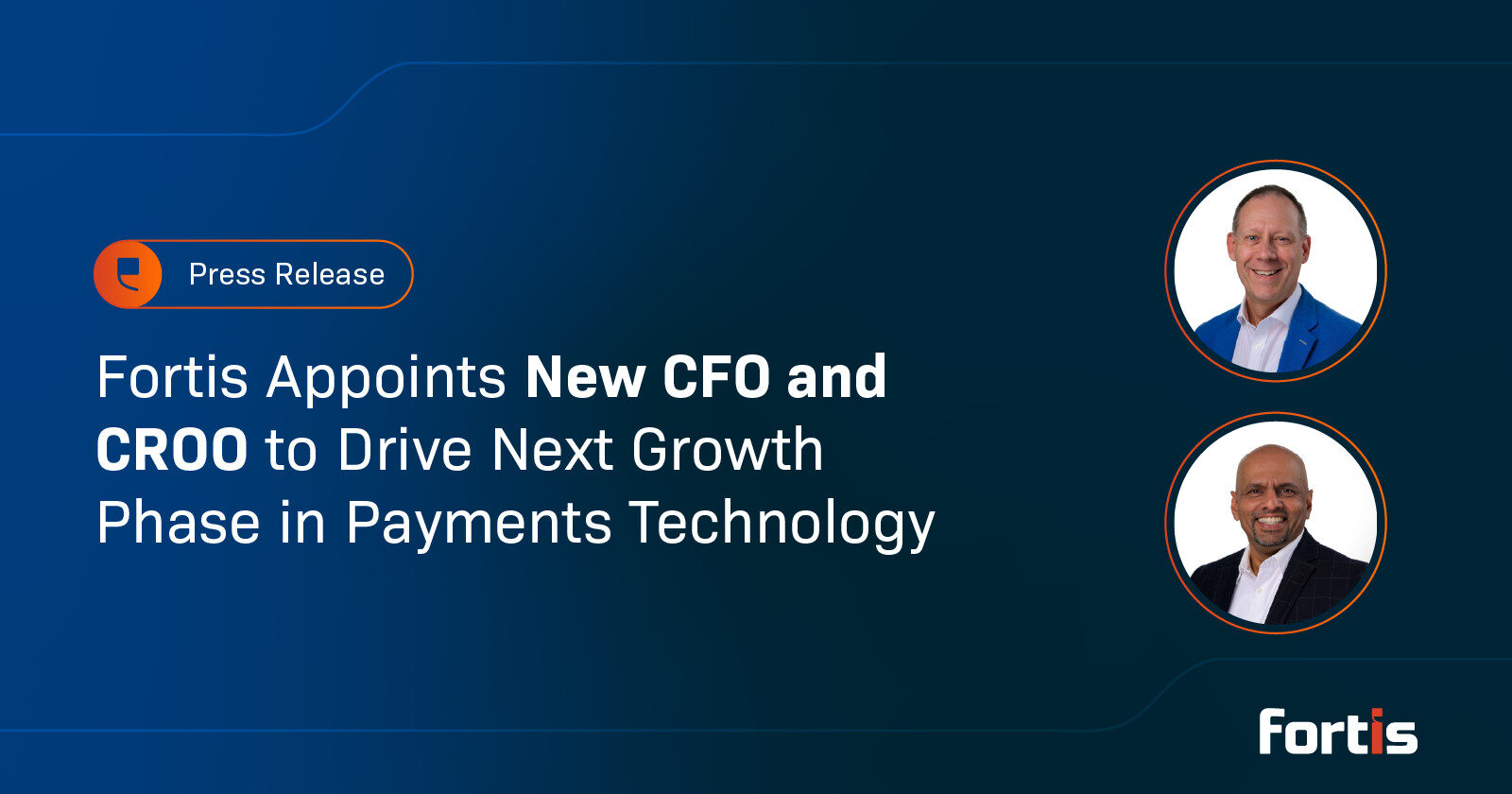
PLANO, Texas, November 6, 2025 — Fortis, the payment technology leader for software platforms and scaling businesses, today announced the appointments of Brent Coles as Chief Financial Officer and Sharat Shankar as Chief Risk and Operations Officer. The strategic hires position Fortis to accelerate its embedded payments capabilities and deepen relationships across its software platform and enterprise resource planning (ERP) partner network.
The expanded C-suite reflects Fortis’s commitment to scaling its payments infrastructure as demand grows for integrated financial solutions among software platforms and their business customers.
“Brent and Sharat join Fortis at a crucial point in our company’s trajectory,” said Greg Cohen, CEO of Fortis. “As we scale to meet increasing market demand, their combined expertise in financial operations, risk management, and strategic partnerships will be critical to our success. Both leaders bring proven track records of driving growth and operational excellence in fast-moving fintech environments.”
Brent Coles, Chief Financial Officer

Brent Coles brings more than 25 years of fintech and payments leadership to Fortis. He has held senior finance roles at leading payments companies including Onbe, Clearent, and BluePay, where he demonstrated expertise in scaling high-growth businesses, managing M&A transactions, and partnering with private equity sponsors to deliver measurable results.
At Fortis, Coles will oversee all financial operations, including strategic planning, forecasting, and capital allocation. He will work closely with the executive team to strengthen financial discipline and support strategic growth initiatives across the company’s partner and ERP ecosystems.
“I joined Fortis because of the significant opportunity ahead,” said Coles. “The company has built strong market positioning and assembled the right technology and team. My focus will be on building the financial infrastructure needed to scale efficiently while delivering value to our customers, partners, and stakeholders.”
Sharat Shankar, Chief Risk and Operations Officer

Shankar brings deep payments, lending, and fintech expertise to Fortis. Most recently, he served as EVP of Risk at Corpay, a global business spend management platform. His background also includes senior leadership positions at established financial technology companies including Intuit and First Data.
In his role at Fortis, Shankar will oversee the company’s operations and risk functions, with a focus on operational efficiency, regulatory compliance, and partner experience. His expertise will be instrumental as Fortis expands its embedded payments capabilities while maintaining best-in-class risk management practices.
“The embedded payments space is evolving rapidly, and Fortis is uniquely positioned to lead that transformation,” said Shankar. “I’m excited to work with the team to deliver exceptional partner and customer experiences while enabling scalable growth.”
About Fortis
Fortis is the leader in embedded payments for software providers and ERP systems, processing billions annually through its proprietary technology. The company’s mission is to forge holistic commerce experiences that seamlessly integrate within software workflows—transforming payment processing from cost center to strategic advantage. With expertise in software platforms, Fortis moves commerce closer to invisible by strengthening the payments capabilities of software partners, guiding businesses to reach uncharted growth. Headquartered in Plano, Texas, Fortis is redefining the $100 trillion B2B payments landscape. Learn more at www.fortispay.com.
Media Contact
pr@fortispay.com
The Hidden Cost of Fragmented AR Workflows: What Tech Leaders Should Know

Read Time: 6 minutes
TL;DR: Fragmented AR integrations cost users up to $1.3M annually in lost productivity. 59% of U.S. companies attribute poor cash flow to manual AR processes, while IT teams waste hours maintaining broken integrations. The solution? Native or deeply integrated AR automation delivers 80% faster processing, 70% cost savings, and 20% DSO reduction. Teams should prioritize certified integrations, audit current AR workflows, and eliminate the “invisible project” draining IT resources.
The Invisible Project Draining Your Resources
Every company has one: the “invisible project” that no one budgets for, but everyone works on. It’s not a product launch, new initiative or campaign—it’s simply keeping your accounts receivable functional.
When invoices don’t sync to your ERP, AR data lags, or a connector fails, your tech teams quietly step in. They rebuild, export, reconcile, repeat, all to keep revenue flowing.
But that invisible project isn’t free. It costs hours of manual work, delayed insights, and missed opportunities that could be spent on strategic growth.
The Cost of Disconnected Payments
Disconnected payment and AR tools create hidden costs that add up quickly. In fact, 59% of U.S. businesses attribute poor cash flow and forecasting to outdated manual AR methods, while another 57% cite difficulties in managing credit risk (PYMNTS Intelligence, 2024).
Manual AR processes drain productivity across the organization. According to recent research, half of businesses report excessive time wasted on AR processing, while 44% struggle with collecting delinquent payments (PYMNTS, 2024). Beyond operational challenges, companies face direct financial losses: studies suggest businesses can lose up to $1.3 million annually on inefficient processes (Formstack/Mantis Research, 2022).
The time cost is staggering. Each hour spent reconciling data, managing logins, or manually re-keying information is time your team could be using to move the business forward.
The IT Bottleneck: When Your Tech Team Becomes a Manual Data Bridge
When payment processors, billing platforms, and AR automation tools don’t integrate seamlessly someone has to fill the gap—usually your IT or Applications teams. Sometimes it falls to the Finance leader who knows the workflow best but doesn’t have bandwidth to manage yet another integration project.
The result? Your tech team becomes a human middleware layer. They’re constantly building custom scripts, managing API connections, creating saved searches for data exports, or worse—manually entering payment data into their ERP because the integration broke again.
According to the National Automated Clearing House Association, 71% of remittance information associated with electronic payments travels separately from the actual payment, forcing AR teams to manually match payments to invoices (Citizens Bank Corporate Finance Insights). This often means toggling between multiple systems, exporting data, and using spreadsheets to reconcile what should be automatic.
Teams find themselves spending valuable time on:
- Re-creating APIs when third-party connectors fail
- Building and maintaining custom connectors for data transformations
- Manual cash application because payment data doesn’t map to invoices
- Creating workarounds when batch imports fail or take too long
- Troubleshooting why payment gateway data isn’t syncing to customer records
This fragmentation doesn’t just slow operations—it damages team morale and retention. Accounts Receivable staff are especially vulnerable to defections: according to the Institute of Finance and Management, 27% say they plan to leave within the next year, and nearly half say they’ll leave within three years (IOFM, 2023).
When talented developers and systems administrators spend their time on repetitive integration fixes instead of innovation, disengagement follows. Disengagement due to manual processes costs organizations $3,400 for every $10,000 in salary (OPEN.money, 2024).
The ROI of Integration
The business case for AR automation is compelling. Companies that implement comprehensive automation solutions report significant benefits:
- Processing time reductions of up to 80% and cost cuts of 30-40% on manual processes (SNS Insider Market Research, 2024)
- Reduction in Days Sales Outstanding (DSO) by up to 20% (multiple industry sources)
- Invoicing cost savings exceeding 70% when transitioning to automation (HighRadius, 2024)
- 83% of AR executives report improved process efficiency and accuracy after implementing automation (PYMNTS Intelligence, 2024)
The AR automation market is experiencing explosive growth, projected to increase from $3.2 billion in 2025 to $8.6 billion by 2035, with a compound annual growth rate of 10.3% (Future Market Insights, 2025). This growth reflects the urgent business need for integrated solutions.
From Fragmentation to Flow: Invisible Work Becomes Visible Impact
The path forward requires more than just new software—it demands integrated systems that reduce manual handoffs and give teams real-time visibility into the entire order-to-cash cycle.
Modern AR automation platforms offer:
Seamless Integration
- Native connectors or prebuilt integrations that eliminate custom coding
- Real-time, bi-directional data sync between payment systems and your ERP
- Automatic cash application that posts directly to customer records and invoices
- No more CSV exports, batch uploads, or manual reconciliation
AI-Powered Intelligence
- Predictive analytics for customer payment behavior based on your transaction history
- Automated credit risk scoring that updates customer credit limits
- Smart payment matching that handles partial payments, credits, and discrepancies
- Machine learning that improves accuracy over time
Automated Collections That Scale
- Dunning workflows that trigger based on invoice aging
- Multi-channel payment reminders (email, SMS, portal) with embedded payment links
- Customer self-service portals that pull live data from your system
- Automated escalation paths based on customer payment history
Real-Time Financial Visibility
- Dashboards that reflect current AR data without manual reporting
- Cash flow forecasting based on actual receivables and payment patterns
- Custom saved searches and KPI tracking integrated with your ERP analytics
- Role-based access that works with your existing permission structure
For organizations still relying on manual processes, the window to act is narrowing. Invoice volumes are projected to increase by 46% over the next three years (PYMNTS Intelligence, 2024), which will only magnify existing inefficiencies.
Taking Action
Tech leaders should:
- Audit current AR processes to identify the most time-consuming and error-prone manual tasks
- Calculate the true cost of fragmentation, including staff time, delayed payments, and opportunity costs
- Prioritize integration capabilities when evaluating automation solutions—58% of enterprises consider integration a key factor in selecting financial automation software (IMARC Group, 2024)
- Select scalable cloud-based solutions that can grow with your business and integrate with existing systems
- Focus on change management with strong training and support to ensure successful adoption
The invisible project of keeping AR functional doesn’t have to drain your organization’s resources. With the right integrated automation platform, tech teams can shift from firefighting disconnected systems to enabling strategic growth.
Sources
- PYMNTS Intelligence Report (2024). “Businesses at Risk: The High Cost of Manual AR Processes and What to Do About It” (in collaboration with Esker)
- PYMNTS Intelligence (2024). “59% of US Businesses Link Poor Cash Flow to Manual AR Processes”
- Citizens Bank Corporate Finance Insights. “Accounts Receivable Automation: Corporate Finance”
- HighRadius (2024). “Accounts Receivable Automation Best Practices: 7 Top Benefits”
- SNS Insider Market Research (2024). “Accounts Receivable Automation Market Size | Report 2033”
- Future Market Insights (2025). “Accounts Receivable Automation Market | Global Market Analysis Report – 2035”
- IMARC Group (2024). “Accounts Receivable Automation Market Size Report, 2025-2033”
- Formstack/Mantis Research (2022). “Businesses can lose up to $1.3M a year on inefficient processes” (via CIO Dive)
- OPEN.money (2024). “The True Cost of Manual Accounts Payable/Receivable Processes”
- IOFM: Ten Ways To Win the War for AP/AR Talent _iofm25_best_teams_report_.pdf
Accelerate AR: Fast-Tracking Financial Performance with Fortis

Post 1: Why It’s Time to Accelerate Your AR Workflow
Read Time: 4 minutes
This post kicks off our Accelerate AR series—a four-part guide to transforming your invoice-to-cash process using embedded payments inside your ERP.
First up: Why manual Accounts Receivable (AR) is slowing you down, and what to do about it.
In a perfect world, invoicing would be instant, payments would post immediately, and reporting would offer a crystal-clear view of cash flow. But for many mid-market B2B companies, the reality is different: invoices get delayed, payments arrive late, and reporting feels more like guesswork than a decision-making tool.
These inefficiencies often stem from outdated, fragmented processes. Despite investing in ERP systems to centralize operations, many companies still rely on spreadsheets and manual workarounds for AR tasks. If your team is switching between tools, manually entering invoice data, and chasing payments without clear visibility, your AR process is likely holding you back.
The results can be painful:
- Payments trickling in well past due dates
- Hours lost each week to reconciliation and follow-up
- Limited insight into Days Sales Outstanding (DSO) and cash flow forecasts
- Mounting frustration across finance, sales, and customer service
It’s a common reality, and it’s costly. Businesses in the Americas lose over 50% of unpaid receivables that aren’t settled within 90 days. On average, 4% of accounts receivable are written off entirely.
Source: Atradius & U.S. Census Bureau
The Hidden Cost of Staying “Good Enough”
Too often, AR workflows are seen as a back-office task—not a business growth opportunity. But in an environment where speed and accuracy matter more than ever, staying stuck in outdated processes puts your financial health at risk.
Even incremental delays can cascade into:
- Missed revenue opportunities
- Cash flow shortfalls that impact budgeting or expansion
- Lower customer satisfaction due to billing confusion or payment friction
It’s not just about operational efficiency—it’s about unlocking real financial performance.
What If AR Could Move as Fast as Your Business?
That’s where true transformation begins—not just faster workflows, but smarter, more connected ones that accelerate every step of your AR process.
When you embed payments into your ERP environment, you create a single, frictionless AR system that works across your invoicing, payment collection, and reporting functions. You reduce touchpoints, minimize errors, and gain full control over your cash cycle.
Imagine:
- Invoices sent the moment a sale closes
- Customers paying instantly using their preferred method
- Payments posting automatically to the correct account
- Finance having real-time visibility into every step
This isn’t a future-state—it’s what embedded AR can deliver today.
Why Now?
Companies that haven’t modernized their AR systems are feeling it: longer collection cycles, higher operating costs, and a lack of data clarity to plan effectively. In contrast, businesses that integrate payments within their ERP are reclaiming time, reducing DSO, and scaling with less friction.
Modernizing AR isn’t just a technology decision—it’s a growth strategy.
Turning Strategy into Action
Fragmented AR processes don’t just slow you down—they make it harder to plan, respond, and grow. When invoicing, payments, and reporting operate in silos, inefficiencies compound and visibility fades.
But for companies using embedded payment solutions within their ERP, the story looks different.
With a single, connected workflow, finance teams can streamline invoicing, enable easier payments, and monitor key AR metrics in real time—all without switching platforms or adding new tools to manage.
That’s the power of embedded AR—and it’s what Fortis is built to support.
Where to Go from Here
Accelerating AR starts with recognizing the friction—and then replacing it with smart, embedded processes that work the way your business does.
In this four-part series, we’ll explore how Fortis helps finance teams automate the full invoice-to-cash journey:
- In our next post, we’ll break down the hidden costs of manual invoicing—and how native ERP automation speeds up billing and reduces errors.
- Then we’ll look at the payment experience: what’s slowing it down and how to eliminate the barriers that frustrate customers and delay revenue.
- Finally, we’ll dive into AR reporting—and how real-time visibility transforms AR from a reactive function into a strategic growth driver.
Each post will offer practical insights and examples to help you modernize your AR process—and set your team up to scale.
Ready to uncover hidden inefficiencies in your AR process? Talk to a Fortis expert to see how embedded payments can streamline invoicing, reduce delays, and give your finance team time back.
Q3 2025 Release Notes
Period: July – September 2025
Published: October 2025
Audience: Fortis Customers, Partners, and ISVs
Location: Fortis Resource Center
Highlights at a Glance
- Apple Tap to Pay on iPhone is now live — merchants can accept contactless payments directly on iPhone with no additional hardware.
- Expanded device platform to PAX with Fiserv certification improves reliability across production hardware and deployment templates.
- New Data Hub automations simplify file ingestion, reconciliation, and reporting across platforms.
- ERP integrations enhanced — improved ACH handling, multi-location support, and configuration updates for Sage Intacct and NetSuite.
- Portal self-service tools expanded with streamlined merchant onboarding and maintenance request flows.
Merchant & Partner Portals
Merchant Portal: Self-Service Request Menu/Bank Account Updates
Who is this for: Merchants using Wholesale, ACH-only, and PayFac services
What’s New:
A new Self-Service Request menu is now available in the Merchant Portal. This feature enables merchants to submit and track service requests, starting with the ability to update bank account information directly through a secure, guided workflow.
Key Highlights:
- Self-service: Merchants can initiate updates (such as banking changes) without support team involvement.
- Real-time tracking: Requests can be tracked within the portal for full transparency.
- Future expansion: Additional request types will be supported soon.
Impact:
- Faster turnaround for common updates
- Improved transparency through real-time request status
- Secure and compliant workflow for sensitive data
Devices & Mobile SDK
Apple Tap to Pay on iPhone
Who’s this for: ISVs, Retailers, and Merchants using iOS devices
What’s New: Contactless payment acceptance on iPhone
Summary:
Apple Tap to Pay on iPhone is now available through the Fortis platform. Merchants can accept in-person, contactless payments using only their iPhone — no extra hardware required. The release includes onboarding workflows, Terminal Profile IDs for Apple environments, and certification alignment with Fiserv & TSYS.
Impact:
- Hardware-free, modern in-person payments
- Simplified deployment for ISVs integrating through Fortis APIs
PAX Terminal Certification & Testing
Who’s this for: Field Technicians, ISVs, Support Teams
What’s New: PAX Fortis Terminal App version 1.0.2 is live in the PAX store
Summary:
PAX fortis terminal app is production ready, this offer is featuring parity with the Fortis Ingenico Device experiwnce offering an expanded catalog of devices and software flexibility for ISSV’s and Merchants.
Impact:
- Flexibility or device offering and software capabilities
- Additional point of sale options including mobile and countertop devices
Data & Reporting
Automated File Handling and Residual Ingestion
Who’s this for: Operations, Finance, and Data Teams
What’s New: Enhanced DataHub and Data Lake automations
Summary:
Q3 introduced major upgrades to file automation — including auto-unzipping, partner channel mapping, and residual data ingestion for ServeFirst, Omaha, and SmartPay. These automations reduce manual handling and ensure consistent monthly reporting.
Impact:
- Faster reconciliation cycles
- Reduced operational overhead
ERP Integrations
NetSuite Enhancements
Who’s this for: NetSuite Users and ISVs
What’s New:
- Support for payments on “Pending Fulfillment” Sales Orders
- Enhanced surcharge and deposit handling
Summary:
Merchants can now process payments earlier in the order lifecycle, avoiding workflow interruptions. Deposits now correctly include surcharges for EMV transactions.
Impact:
- Smoother reconciliation
- Greater flexibility in NetSuite billing flows
Sage Intacct Enhancements
Who’s this for: Accounting Teams, ERP Admins
What’s New:
- Automated ACH reject handling and invoice reopening
- Multi-location Fortis configuration support
Summary:
Returned ACH payments are now automatically reversed with clear reason codes. Multi-location setups let users manage multiple Fortis configurations per entity for different currencies or locations.
Impact:
- Better ACH tracking and recovery
- Simplified multi-location management
Enhanced Settlement Data for Transactions & Batches
Who’s this for: Merchants
What’s New: Expanded reconciliation data in APIs and reports
Summary:
The Merchant Portal now provides more detailed settlement data across both transaction and batch views. Users can view processor batch IDs, deposit dates, and settlement statuses directly from the Transactions and Batches pages or through the fortis.tech API endpoints. This improvement improves reconciliation and provides clearer visibility into deposit activity.
Impact:
- Improved reconciliation and reporting
- Easier cross-referencing between batch and processor data
Partial Refund Enhancements with Accurate Surcharge Rounding
Who’s this for: Merchants
What’s New: Smarter surcharge calculations for partial refunds
Summary:
Issuing multiple partial refunds is now easier and more accurate. The updated refund workflow automatically calculates remaining balances and surcharges, preventing rounding errors from cumulative refunds. A new “Refund Remaining Amount” button makes processing the final refund seamless.
Impact:
- Fewer refund discrepancies
- Improved customer experience during refund processing
Automatic Settlement Matching for Gateway Transactions
Who’s this for: Merchants
What’s New: Enhanced data matching between gateway and processor settlements
Summary:
The Fortis Gateway has improved how it matches gateway transactions with processor settlement records. Updated logic links settled transactions to a gateway transaction, improving downstream reporting.
Impact:
- Cleaner gateway transaction to settled transaction mapping
- More accurate reporting and reconciliation
Bug Fixes & Platform Stability
Who’s this for: All users
What’s New & Fixed:
- Improved session handling in Merchant Portal
- Fixed display issues on document upload dropdowns
- Corrected DBA name mapping for KeyBank PayFac merchants
- Enhanced signature capture for Move5000 devices
Summary:
Ongoing stability improvements ensure a more reliable, consistent experience across portals, terminals, and integrations.
Fortis API Information
Explore tools, resources, and examples to integrate Fortis into your software